Albums
Make an Album
Keep things that belong together in one place — passports in one album, receipts in another.
- Tap + at the bottom of the screen. It works in the album list and inside any album.
- Tap New Album.
- Type a name, then tap Create.
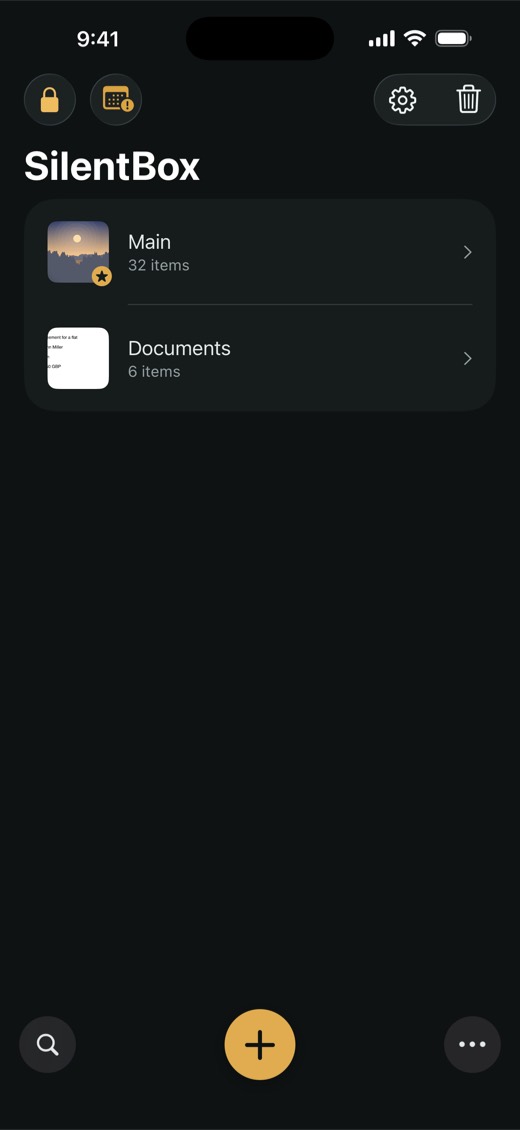

The new album appears in the album list. To fill it, move items into it. When you move items, you can also make an album on the spot: tap New Album… at the top of the Move to Album screen.
Rename an Album
- In the album list, touch and hold the album, or swipe left on it.
- Tap Rename, change the name, then tap Save.
TipThe album marked with a star is the main album. It always stays at the top of the list and can't be deleted, but you can rename it.
NoteMaking new albums is included in the free trial and the Full Version. After the trial ends, your albums stay: you can still open, rename and delete them and move items between them. See Full Version and the Trial.